




Creating an account at MerkurXtip and logging in for the first time is a straightforward process, but it involves several steps that go beyond a simple sign-up form. Licensed gambling operators are required to verify the identity, age, and payment details of each player before real-money access is granted. Since January 1, 2024, the so-called temporary account system was abolished, which means full verification is now mandatory from the start. The MerkurXtip registration process includes filling out a detailed form, confirming your email and phone number, verifying your identity through Bank iD, linking a payment method, and setting responsible gambling limits. The login itself is quick, but understanding what to do if something goes wrong is equally useful. This article covers each stage clearly, from the first click on the registration button to troubleshooting access issues.
How to Create a MerkurXtip Account Step by Step
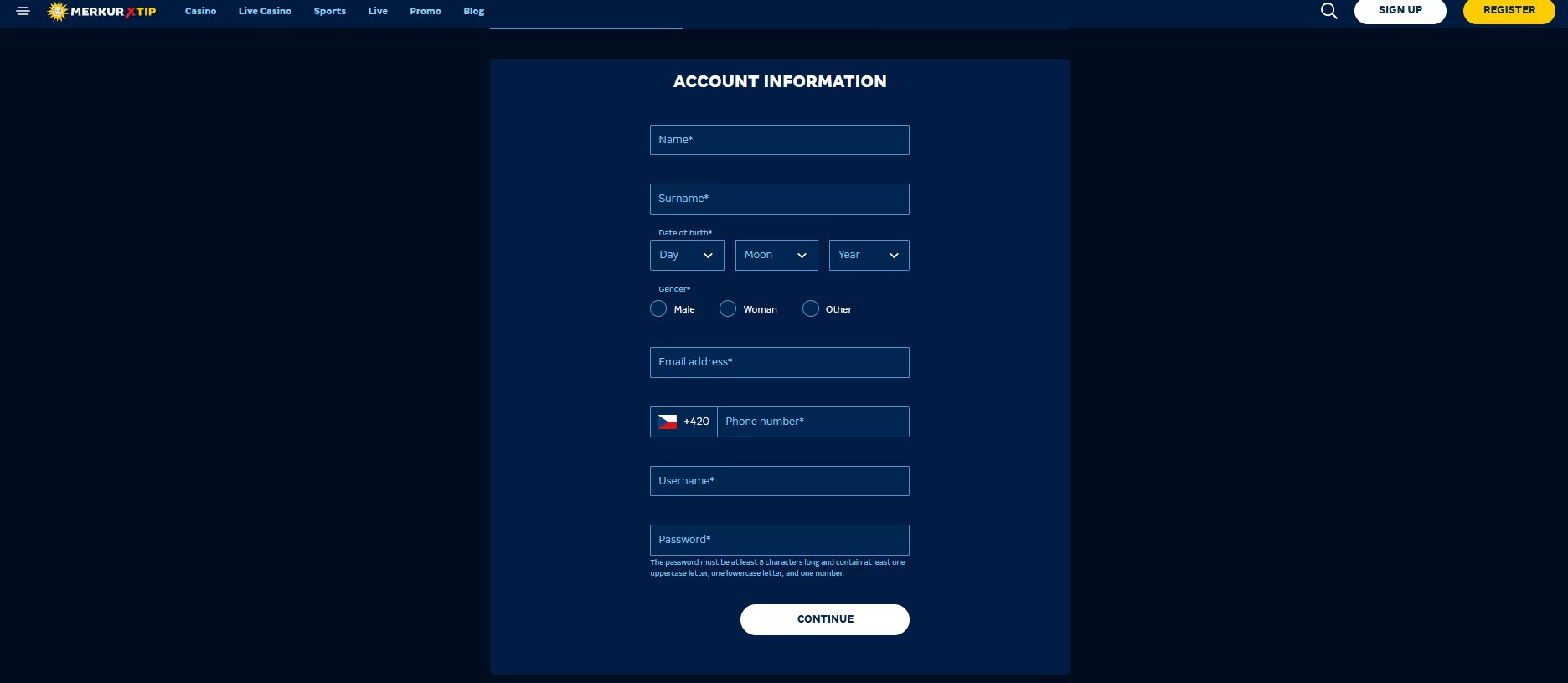
The registration at MerkurXtip takes place entirely online at merkurxtip.cz, and the whole process can comfortably be completed from a mobile device or desktop. There are no physical branches where you can register — everything happens through the website. The registration button is a green “Registrovat” element placed in the top-right corner of the homepage, and clicking it opens the form immediately.
The form itself is split into sections. In the first part, you provide core personal details: first name, last name, date of birth, and gender. MerkurXtip collects your email address, phone number, permanent residential address, and correspondence address if it differs. The next section asks for your birth number (rodné číslo), place of birth, and the source of funds you plan to use for gambling. This last requirement comes from anti-money laundering legislation and applies to all licensed operators.
You also choose a username and password during registration. The password must meet minimum security standards: at least 8 characters, one uppercase letter, one lowercase letter, and one number. There is also an optional promo code field. If you have one, you can enter it here, but MerkurXtip bonuses are generally accessible without a code as well. Before submitting, you confirm that you are not a politically exposed person and agree to the platform’s terms and conditions.
The entire MerkurXtip registration form typically takes under 15 minutes to complete, and the process is fully optimised for mobile use, which suits players who increasingly prefer managing accounts from their phones.
RegisterHow to Verify Your MerkurXtip Account Fully
Account verification at MerkurXtip is not optional. It is a legal requirement under gambling law, and real-money play is not possible until all steps are completed. The verification process involves four distinct elements, and the order in which you approach them affects overall efficiency.
Email and Phone Confirmation at MerkurXtip
Once the registration form is submitted, MerkurXtip sends a verification link to the email address provided. Clicking that link confirms the address and allows access to the account dashboard. Without this step, basic registration cannot be finalised. If the email does not arrive within a few minutes, the spam folder is the first place to check, and customer support can resolve persistent delivery issues.
Phone number verification is a step that sets MerkurXtip apart from most competitors. After the first login, the system prompts entry of an SMS verification code sent to the registered number. Without confirming the phone number, account functionality, particularly withdrawals, remains restricted.
Identity Verification Through Bank iD
The primary and most efficient method for identity verification at MerkurXtip is Bank iD (Bankovní identita). This is an online service that lets you confirm your identity directly through your existing internet banking. The supported banks currently include:
- Air Bank
- Česká spořitelna
- ČSOB
- Komerční banka
- Fio banka
- Moneta Money Bank
- Raiffeisenbank
You select your bank in the account settings under “Ověření účtu,” follow the on-screen instructions within your banking interface, and confirm the data sharing. The process takes just a few minutes and has one major practical advantage: verifying through Bank iD automatically links and verifies your bank account as a payment method, removing the need for a separate step later.
For those without access to Bank iD, identity verification must be completed in person using a valid government-issued ID. MerkurXtip directs such cases to a Czech Point office, and the platform reimburses the service fee charged there.
Payment Method and Gambling Limits Setup
If Bank iD was not used, a separate payment method verification is required. This involves making a small transfer from your bank account, which MerkurXtip returns immediately. It serves purely as a confirmation that the account belongs to you. Only payment methods registered in your own name are accepted under applicable regulations.
The final mandatory step is setting responsible gambling limits (sebeomezující opatření). This is not a formality. Gambling regulations require every player to either set specific limits or actively decline them for each applicable category. The categories cover areas such as maximum daily bets, session duration, and monthly login frequency. These limits can be adjusted later in the account settings at any time. Once this step is completed, the MerkurXtip account is fully active and ready for use.
How the MerkurXtip Login Process Works
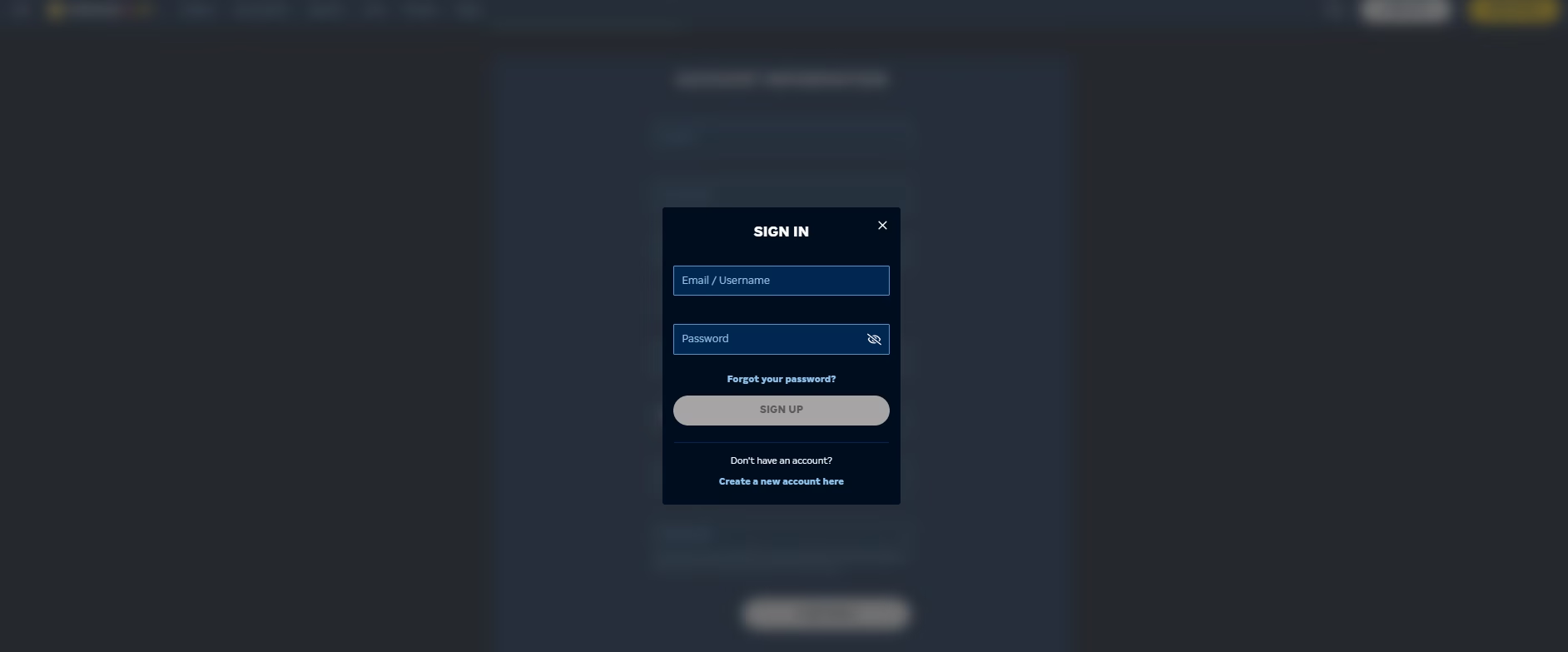
Logging in to MerkurXtip after registration is completed is a quick process. The “Přihlásit” (Login) button is located in the top-right corner of the website, consistent across desktop and mobile views. Clicking it opens a login window where you enter either your username or the email address used during registration, followed by your password.
One practical detail worth noting: if the registration process was ever interrupted due to a lost connection or a device restart, you can log back in and resume exactly where you left off. All previously completed steps are saved, so there is no need to start from scratch. The login interface at MerkurXtip is the same entry point for both the casino and sportsbook sections of the platform, making it the single access gateway to all services available on the site.
RegisterLogin Methods Available on MerkurXtip
MerkurXtip currently uses a standard username/email and password combination as the primary login method. There is no separate social login or third-party authentication option available at this time. Login is accessible from:
- The desktop website at merkurxtip.cz
- The mobile-optimised browser version on smartphones and tablets
- Any device with an internet connection, without requiring a native app download
The Bank iD service, while used during verification, is not currently offered as a standalone login method. It is specific to the identity verification stage. Players familiar with Bank iD from other platforms should note this distinction. Once an account is active, the standard credential-based login is the only method in use.
Common MerkurXtip Login Problems and How to Handle Them
Access issues after registration are relatively rare, but a few situations do come up with some regularity. Understanding what causes them makes resolution faster.
Forgotten password is the most common scenario. On the MerkurXtip login page, the “Zapomenuté heslo?” (Forgot password?) link initiates a reset process via the registered email address. Following the instructions in the email is all that is required, and access is usually restored within minutes.
Incomplete verification is another frequent source of login difficulties. If account verification was not fully completed, meaning identity, phone, payment method, or gambling limits were not confirmed, the account may be restricted or blocked from accessing certain features. MerkurXtip’s verification section within the account dashboard clearly indicates which steps remain.
Account blocking via Panic Button may also prevent login. The platform includes a Panic Button feature, accessible directly from the MerkurXtip interface. Activating it blocks access to gambling across all licensed operators, both online and at physical venues, for 48 hours. A longer self-exclusion via the Registry of Excluded Persons (RVO) can block access for a minimum of one year. These are not technical errors but deliberate responsible gambling measures embedded into the regulatory system.
For any unresolved login issue, MerkurXtip customer support is available via live chat between 8:00 and 22:00 daily, accessible to registered users, and by email outside those hours at the official contact address listed on the site.
RegisterFrequently Asked Questions
